New revenue
Offer paid O&M to customers who used to end at installation.
SMARTGEN O&M Desk
Bring inverters from different vendors into one view, catch issues early, and carry them through to the fix and the customer report. EPCs can offer monitoring to their customers under their own brand.
Every new site means another vendor portal to open. Faults arrive as a phone call from the customer, and the record of who did what sits in chat threads and notebooks.
SMARTGEN O&M Desk brings your sites into one place, so your existing team can sell O&M to your customers.
Offer paid O&M to customers who used to end at installation.
Logo, colors and reports all carry your name.
Spot issues before the customer calls, and report back what was fixed.
Manage many sites with your existing team — no separate monitoring desk.
Collected data flows straight into alerts, work and reports.
Collect
Check status
Detect issues
Alert
Assign work
Record the fix
Confirm results
Report
See inverters and meters from different vendors on one screen, on one standard.
Generation, comms loss, faults and underperformance at a glance.
Group scattered alarms into one incident with a priority and an owner.
Assignment, due dates, checklists, site photos and closure in one place.
Compare performance before and after the work to show the outcome in numbers.
Your logo, colors, report header, and dedicated customer view accounts.
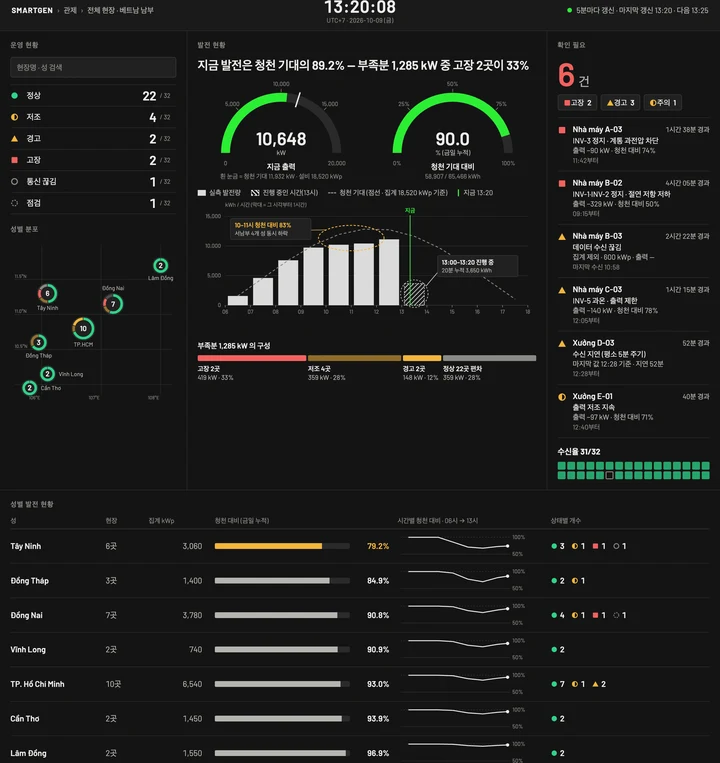
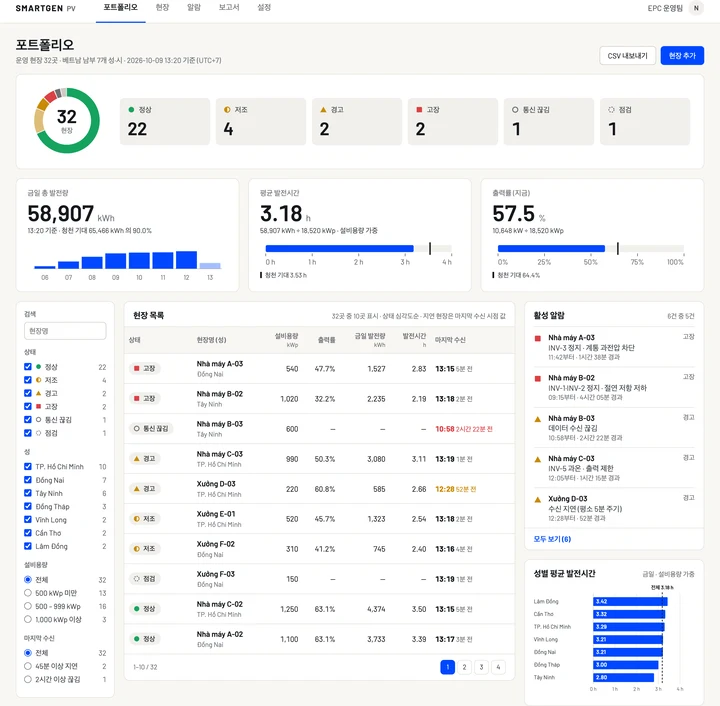
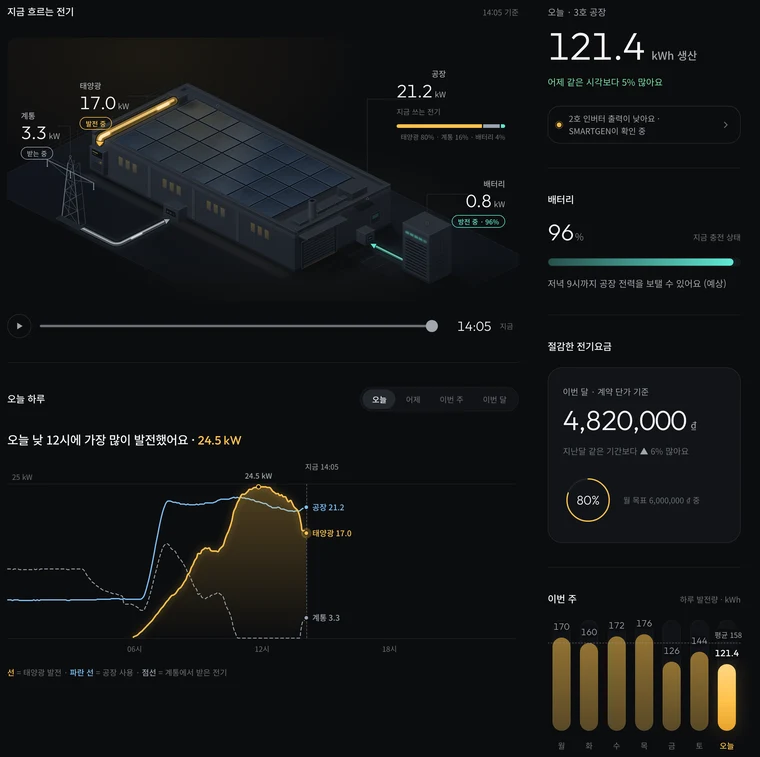
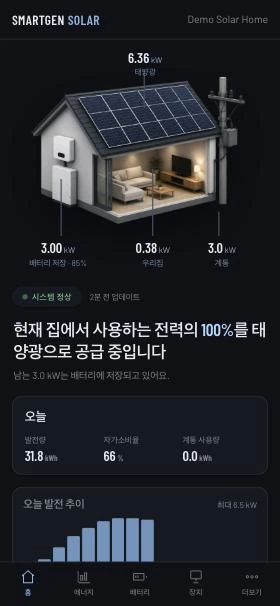
Operations see every site at a glance, owners follow the power in their home or factory with ease, and AI backs up the engineers in the field.
Control mode
An operations-center screen that spots issues across many plants and shows what is wrong, where, and since when.
EPC portfolio
Compare status, energy and alarms across many sites on one screen, and pick the ones to look at first.
Owner dashboard
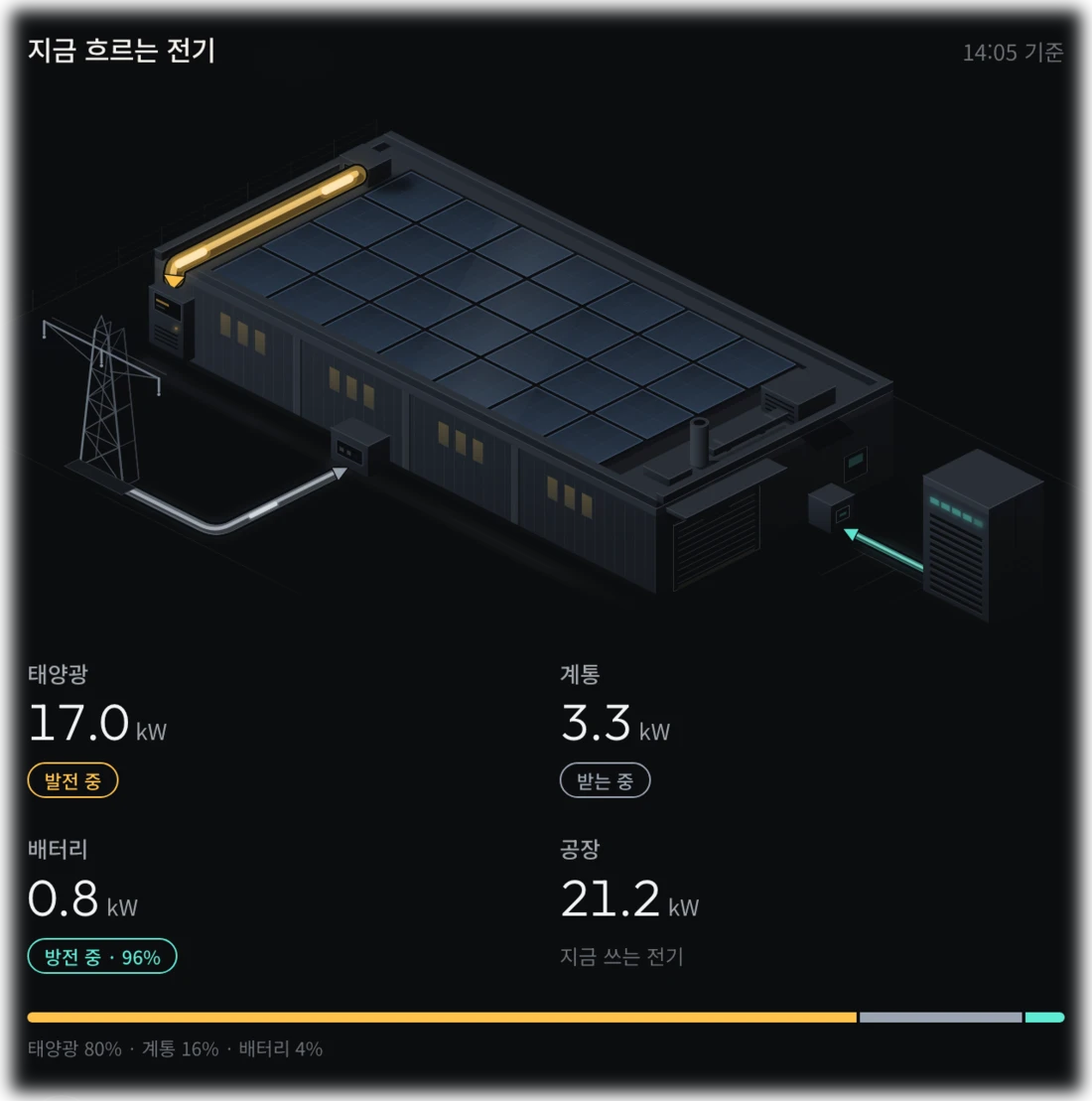
Power flowing between solar, battery and grid, with today's energy and bill savings on one screen.
Home mobile app
Homeowners check today's energy, the power flowing into the house and battery status on their phone, in plain language.
AI helps engineers decide faster. AI drafts; engineers check and act.
Search manuals and service history
Find similar cases in vendor manuals and past work records.
Explain alarm causes
Explain in plain words why an alarm fired and what to check first.
Inspection checklists
Build site checklists for the equipment and alarm type, and hand them to the technician.
Reports in three languages
Draft the work report in Vietnamese, Korean and English.
Different vendors, same view — connect what is already installed without replacing it.
Tell us how many sites you manage and which inverter brands you use — we will show you how to connect them.